Expert Slide and Photo Scanning Since 2002.
4,000 ppi Scanning and Premium Photoshop
Editing On Every Scan. Still 39¢ most slides.
We also can make PRINTS from your Slides.
Affordable Scanning Services
www.Slides.Pics
www.Slides.Pics
 Home
Home Order Forms
Slide Preparation For Scanning
Slide Orientation and Organization Movie
Bell and Howell Slide Cube Organizing Movie
Waxed Paper Box Organizing Movie
How should you prepare and pack your 35mm slides? Rubber band the 35mm slides or leave them in your 35mm slide carousel and ship the whole carousel box? If you have the slides in Carousels, you can save yourself a lot of time and trouble by just shipping us the whole carousel. Yes, you will pay more for shipping costs, but you will save yourself the time and trouble of taking the slides out and putting them into stacks, labeling them, and rubber banding the stacks.
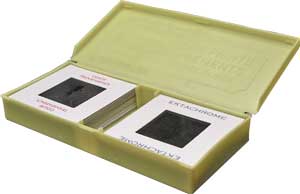
Lots of our customers use "waxed paper" or "aluminun foil" or similar boxes. They are 2"X 2" and it is easy to organize in this way.
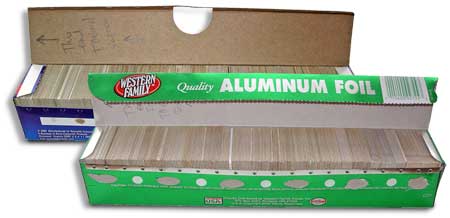 If
you have to take your slides out of a container, and
you are looking for a solution other than stacking them and rubber
banding, you might want to consider this novel idea for packaging
them. Use an aluminum foil or saran wrap box. These are ideal sizes for putting your slides in.
If
you have to take your slides out of a container, and
you are looking for a solution other than stacking them and rubber
banding, you might want to consider this novel idea for packaging
them. Use an aluminum foil or saran wrap box. These are ideal sizes for putting your slides in.
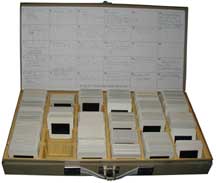
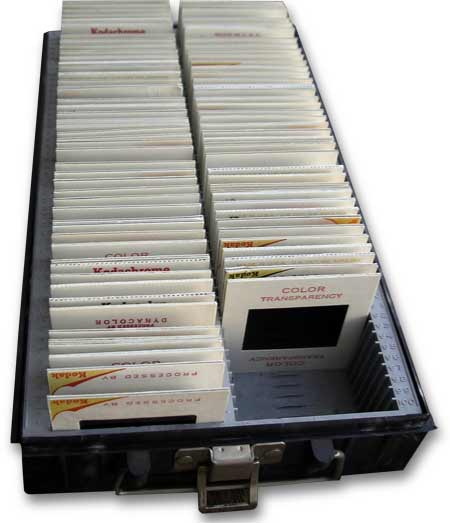
If you have the metal or plastic containers of slides, as shown above, you can just ship the whole thing to us. Make sure that the slides are all facing in the correct direction so we can just take a handful out of the box and scan them in the proper order.
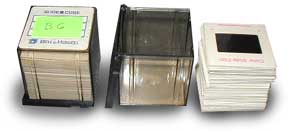
If you have the Bell and Howell 35mmSlide Cubes that you use for 35mm slide storage, just send the whole cube along. This is ideal because they hold just the right amount of slides. Just make sure that you have all your slides oriented correctly and facing the correct way.
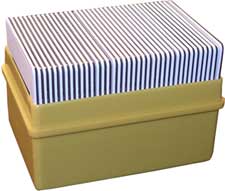
The yellow box above, is a good container. It is easy for us to just grab a handful of slides and run them through our scanners. You still have to orient the slides correctly and indicate where the starting slide is. If not, we will assume that it is the slide that "faces the screen.
We are sorry but the following slide containers make it hard for us to efficiently scan your slides and maximise our workflow. These following types of containers will need someone to take the slides out and put into stacks. If we have to take your slides out of these types of containers, we will need to charge you a small fee to do this extra work. We need you to help with some of the work in order to maintain our low prices.

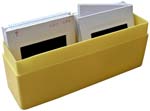
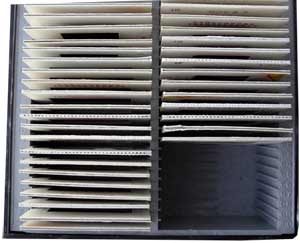
 Slim containers, such as those
above, are not acceptable under our low pricing. It takes us too much
time to remove the slides and put them back in. Put your slides into stacks.
Slim containers, such as those
above, are not acceptable under our low pricing. It takes us too much
time to remove the slides and put them back in. Put your slides into stacks.
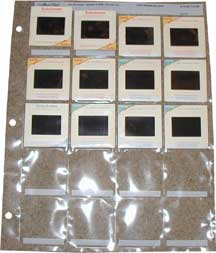
These plastic
notebook holders require extra work for
us to take the slides out and then replace them.
Our offer to do your slide prep for you does NOT include removing slides from NOTEBOOK SLEEVES. Takes too much of our time. You need to do it before you send the order in.
Please: Do Not send them to us.
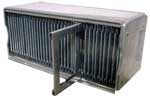 If
you have the Airequipt slide cartridges, you
will have to take your slides out and put them
into rubber banded stacks before you send them to us.
If
you have the Airequipt slide cartridges, you
will have to take your slides out and put them
into rubber banded stacks before you send them to us.
If you send slides in a container such as these, there is no way we can grab a handful of slides out of it. You need to stack them.
|
About Our Company Copyright 2023 |

|
|


|
Email: Click Here After hours you will get a quicker response by using email. We answer email at ALL hours. Telephone messages are replied to during business hours. Affordable Scanning Services LLC 400 Bittersweet Lane Waupun, WI 53963
|